



Twitter, or X for those who have embraced the rebrand, moves fast, and your content strategy needs to keep up with it. But between drafting threads, engaging with followers, analysing performance, and posting consistently at the right time, maintaining a strong presence can easily become overwhelming. AI tools can help lighten the load.
In this guide, you will find eight of the best AI Chrome extensions for Twitter. These tools help you create better tweets, schedule content intelligently, analyse engagement signals, track trends, and stay productive without feeling glued to the platform.
Whether you are a creator building a niche audience, a brand social media manager handling multiple accounts, or a business owner who uses Twitter for marketing, there is something here for you.
Quick glance: Best AI Chrome extensions for Twitter in 2025
| Rank | Extension | Best for | Price | Key feature |
| 1 | Tweethunter AI | AI tweet generation | Freemium | Viral content drafting |
| 2 | Typefully Companion | Smart scheduling | Premium | Best-time posting suggestions |
| 3 | Hypefury Assistant | Engagement automation | Free or paid | Auto replies and queueing |
| 4 | Black Magic for Twitter | Analytics and insights | Freemium | Audience growth tracking |
| 5 | Thread Creator by Typefully | Long form threads | Free | Clean multi-tweet thread building |
| 6 | RiteTag (RiteKit) | Hashtag optimisation | Free | Real time trending tags |
| 7 | Glimpse Twitter Analysis | Competitor monitoring | Premium | Rival account breakdown |
| 8 | Canva Assistant | Media enhancement | Freemium | Quick AI images and graphics |
Why you need AI Chrome extensions for Twitter
Twitter has grown into a platform where conversations, trends, and opportunities move at incredible speed.
Brands use it to build visibility, creators use it to grow their communities, and businesses rely on it for customer engagement. But staying active and effective on Twitter requires a lot of daily work. Most users discover that maintaining consistency is harder than it looks.
AI Chrome extensions help remove the pressure by giving you tools that automate repetitive tasks, improve your content quality, and guide your decisions with data.
They help you work smarter, not harder, and make it easier to keep up with an audience that expects fast replies, interesting content, and regular activity.
The Twitter time sink problem
For many users, the real challenge is not coming up with ideas but juggling everything that comes after. Creating a single tweet that performs well takes time.
Writing threads can take even longer because they require structure, clarity, and a narrative that keeps people reading. Add the push to respond to mentions, track trends, schedule posts, and analyse engagement, and it becomes clear why Twitter management often feels like a full-time role.
Some common challenges include drafting engaging tweets every day, expanding ideas into coherent threads without losing your style, posting consistently at the times when your audience is most active, and replying to comments and DMs quickly enough to keep conversations alive
What AI extensions help you solve
AI extensions can streamline almost every part of your Twitter workflow. They serve as creative partners, scheduling assistants, analytics tools, and productivity boosters. With the right combination of tools, you can reduce hours of daily work to a more manageable routine.
Here is what they help you achieve:
• Content creation: Extensions can turn simple topics into polished tweets or full threads. Some even analyse your past tweets to match your voice.
• Scheduling intelligence: You can prepare tweets in advance and let AI choose the most effective time to publish them.
• Engagement automation: Tools help with simple replies, follow-ups, and DMs, which keep your account active even when you are busy.
• Performance analytics: AI summarises your growth patterns, shows which tweets had the most impact, and helps you understand what your audience likes.
• Hashtag and trend research: Instead of scrolling endlessly, you get quick insights into the best trending keywords for your content.
• Competitor intelligence: Some tools highlight what similar accounts are doing so you can learn from successful strategies.
• Workflow efficiency: Extensions help with queuing content, drafting ideas in batches, and speeding up routine tasks.
Overall, AI tools give you more room to focus on strategy, creativity, and meaningful interactions while they take care of the heavy lifting.
[Insert image: Visual showing AI tools assisting a Twitter workflow]
1. Tweethunter AI: Best for AI tweet generation
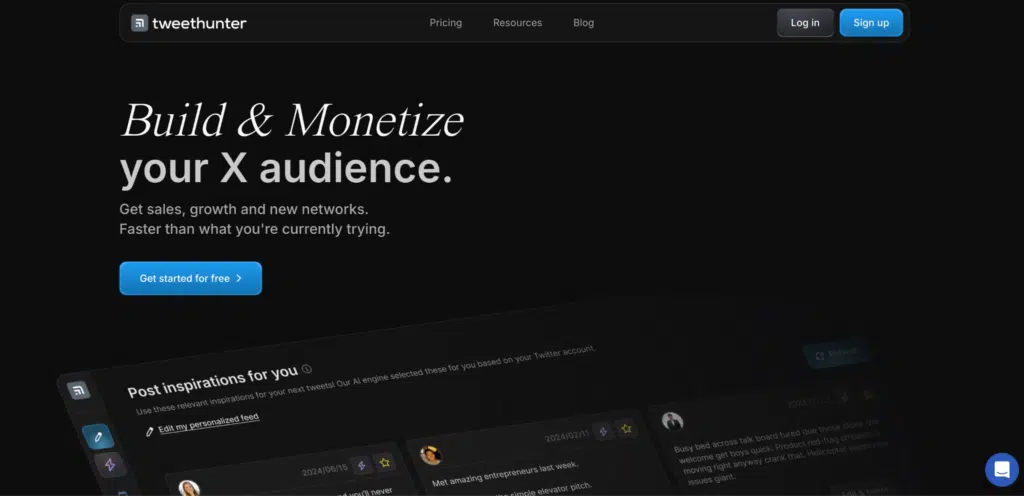
Tweethunter AI is one of the most popular tools among creators and social media teams who want help writing better tweets. It uses AI to generate tweet ideas, polished drafts, and full threads based on any topic you provide.
The tool has earned a reputation for producing content that sounds natural and aligns well with the user’s tone, which makes it easier to stay consistent without spending hours writing.
Key features for Twitter
• AI content studio that turns topics or keywords into multiple tweet variations
• Trend awareness that helps you lean into conversations people are already engaging with
• Voice learning that studies your previous tweets so your content stays on brand
• Thread builder for expanding a simple idea into a structured multi tweet thread
• Hashtag and emoji suggestions that complement your writing style
How it works on Twitter
Using Tweethunter AI is straightforward. You click the extension icon while browsing Twitter, enter a topic or paste a link, and the AI generates several tweet options in seconds. You can edit the suggestion, turn it into a thread, or schedule it using your preferred tool. The goal is to remove the friction of starting from scratch.
Real results from testing
In our experience, Tweethunter AI helps eliminate writer’s block and speeds up content creation significantly. It produces a large number of tweet ideas within minutes and makes it easier to create threads that flow naturally from start to finish.
What Twitter users love
• It simplifies daily tweeting for people who struggle with consistency
• The voice matching feature helps maintain authenticity
• It is helpful for creators who want to post frequently without running out of ideas
Minor limitations
• The free tier has limited daily usage
• Some generated tweets may require editing to sound less promotional
Pricing for Twitter users
Free tier: Basic tweet generation with limited daily credits
Pro plan: Paid option with unlimited tweet creation, thread features, style training, and priority updates
Best value: Annual plan is more affordable for consistent users
Perfect for
Creators, influencers, founders, and social media managers who post regularly and want a smoother content creation workflow.
2. Typefully: Best for smart scheduling
Typefully is a lightweight extension that helps you publish tweets when your audience is most active. It predicts optimal posting times, assists with drafting, and connects directly to the Typefully platform for more advanced scheduling.
Key features for Twitter
• Smart posting suggestions based on audience activity
• Quick tweet drafting inside the extension window
• Easy queueing for users who batch content
• One click push to the Typefully scheduler for threads and long-form posts
How it works on Twitter
You open the extension while browsing Twitter, write or paste your tweet, and Typefully suggests the best time to publish. You can post instantly or send it to your queue if you manage content in advance.
What Twitter users like
• Simple and clean interface
• Reliable timing suggestions
• Helpful for users who post across different time zones
Minor limitations
• Most powerful scheduling tools require a paid Typefully account
Pricing
Free plan with basic scheduling tools
Paid plans for advanced analytics, threads, and queues
Perfect for
Creators or managers who want to post consistently without manually tracking the best times to tweet.
3. Hypefury: Best for engagement automation

Hypefury helps you stay active on Twitter even when you are away. It offers light automation that supports replies, quote tweets, and post scheduling, making it easier to maintain conversations and keep your content visible.
Key features for Twitter
• Suggested replies for mentions and comments
• Automatic follow-up tweets for high-performing posts
• Draft and schedule tweets directly from the extension
• Simple queueing for users who post regularly
How it works on Twitter
While browsing Twitter, the extension highlights comments you might want to respond to and suggests reply options. You can also save any tweet idea into your queue for later posting.
What Twitter users like
• Keeps accounts active without constant manual engagement
• Helpful for avoiding missed mentions
• Good companion tool for creators who post daily
Minor limitations
• Automation settings need careful configuration to avoid sounding repetitive
Pricing
Free plan with basic features
Paid plans unlock more scheduling options and automation controls
Perfect for
Users who want to increase engagement without being online all the time.
4. Black Magic for Twitter: Best for analytics and insights
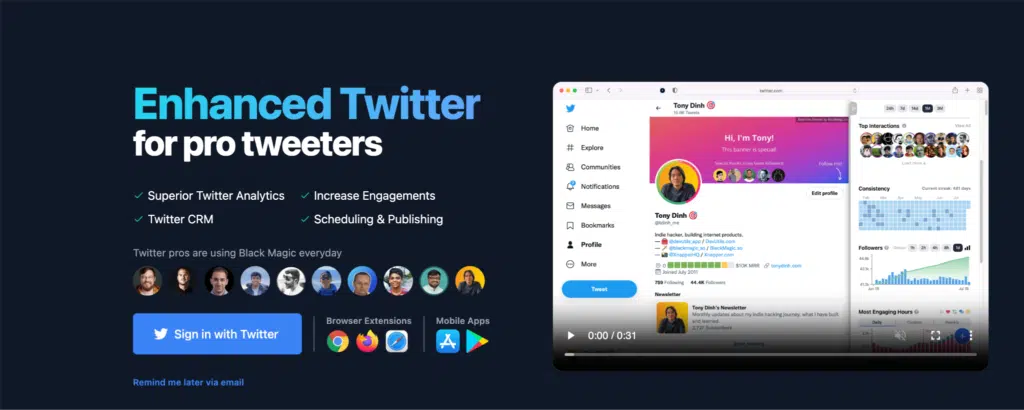
Black Magic for Twitter is a popular extension among creators who want a clearer picture of how their content performs. It provides real-time analytics, follower insights, and simple tools that help you understand what is working and what needs improvement.
Key features for Twitter
• Live analytics that display engagement on each tweet
• Follower activity insights, including when your audience is most active
• Bookmarks and thread saving for content organisation
• Tracking tools that highlight which tweets perform better over time
How it works on Twitter
Once installed, Black Magic adds an analytics layer to the Twitter interface. You can view performance indicators directly under your tweets, check follower behaviour, and track your growth without switching tabs.
What Twitter users like
• Clear analytics that are easy to interpret
• Useful for spotting patterns in high performing tweets
• Good for creators who experiment with different content styles
Minor limitations
• Some advanced insights require a paid plan
Pricing
Free tier with basic analytics
Paid plans offer deeper insights, personalised tracking, and advanced growth metrics
Perfect for
Creators, marketers, and business owners who want data-driven decisions without using a separate dashboard.
5. Thread Creator by Typefully: Best for long-form threads
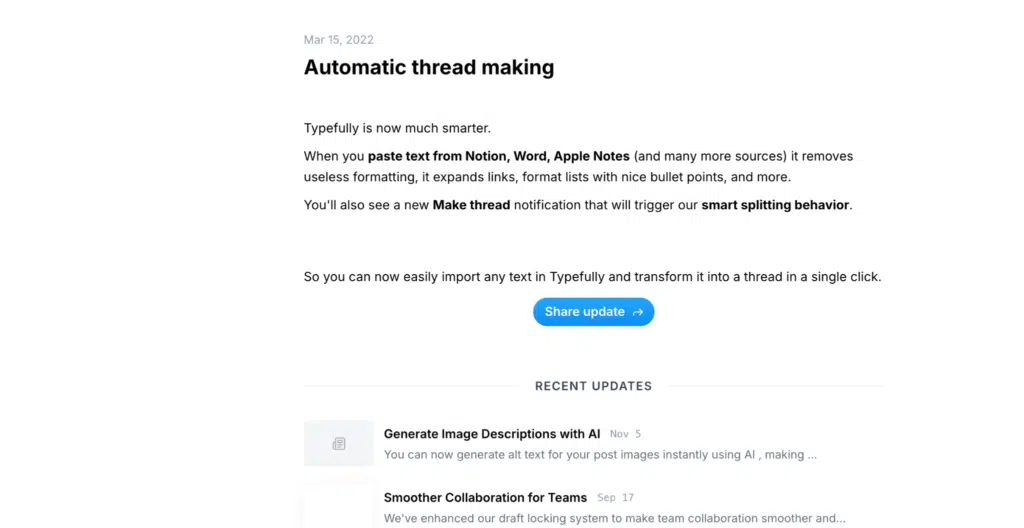
Thread Creator by Typefully helps you turn ideas, notes, or links into clean Twitter threads. It is designed for creators who share educational or storytelling content and want a simple way to structure multi-tweet posts without getting overwhelmed.
Key features for Twitter
• Converts long text into a properly formatted thread
• Helps maintain flow so each tweet leads naturally to the next
• Lets you rearrange or split tweets easily
• Syncs with the main Typefully app for scheduling and editing
How it works on Twitter
You enter your text or paste a link, and the extension breaks the content into tweet-sized parts. You can edit each section, adjust the order, and publish instantly or send it to your Typefully queue.
What Twitter users like
• Makes thread writing faster and more organised
• Great for thought leadership and educational posts
• Reduces the stress of manually breaking text into tweets
Minor limitations
• The free version may feel limited for heavy thread creators
Pricing
Free plan with basic thread tools
Paid plans unlock scheduling, analytics, and more formatting options
Perfect for
Users who publish long-form content and want a smooth thread writing workflow.
6. RiteTag by RiteKit: Best for hashtag optimisation
RiteTag helps you discover relevant and trending hashtags for your tweets in real time. It is a useful tool for creators and brands who want their content to reach more people without guessing which tags to use.
Key features for Twitter
• Real-time hashtag suggestions based on your tweet text
• Indicators that show whether a hashtag is currently trending or oversaturated
• Colour-coded guidance that makes it easy to pick the most effective tags
• Quick search for related keywords across different niches
How it works on Twitter
As you draft a tweet, RiteTag analyses your text and recommends hashtags that can help increase visibility. You can click to add or compare options before publishing.
What Twitter users like
• Saves time spent researching hashtags manually
• Helps tweets appear in more relevant conversations
• Simple interface that works directly on the Twitter page
Minor limitations
• Some hashtag insights require a RiteKit account
Pricing
Free plan with basic hashtag suggestions
Paid plan includes unlimited searches and deeper analytics
Perfect for
Anyone who wants their tweets to reach a wider audience with minimal effort.
7. Glimpse: Best for competitor and trend monitoring
Glimpse is a research and analysis extension that helps you understand how other accounts in your niche perform. It breaks down competitor tweets, engagement patterns, and posting habits so you can learn from what works in your industry.
Key features for Twitter
• Competitor performance summaries showing their most effective tweets
• Insights into posting frequency, content focus, and engagement style
• Simple charts that highlight growth patterns
• Keyword and trend tracking to spot opportunities in your niche
How it works on Twitter
When browsing any Twitter profile, the extension displays a sidebar with performance indicators and content insights. You can quickly compare accounts or study what makes certain tweets more successful.
What Twitter users like
• Makes competitive research faster and more structured
• Helps users identify gaps or opportunities their content can fill
• Good for marketers and brands running structured campaigns
Minor limitations
• Full competitor analysis features are available only on the paid plan
Pricing
Free version with basic insights
Premium plan unlocks deeper analytics, trend tracking, and account comparisons
Perfect for
Marketers, growth teams, and creators who want to stay ahead of similar accounts.
8. Canva: Best for media enhancement
Canva Assistant is a Chrome extension that brings Canva’s design and AI tools directly into your browser. It is useful for creating quick visuals, banners, quote cards, and lightweight graphics that help your tweets stand out in crowded feeds.
Key features for Twitter
• Instant access to Canva templates for social media posts
• Simple AI-assisted design suggestions
• Quick editing tools for text, colours, and layouts
• Easy export of images that fit Twitter’s recommended dimensions
How it works on Twitter
You open the Canva Assistant from your browser, choose a design, and customise it within a few minutes. Once done, you download the image and attach it directly to your tweet.
What Twitter users like
• Makes it easy to create clean visuals without opening a full design tool
• Saves time for users who want consistent branding in their tweets
• Helpful for announcements, quote graphics, and visual threads
Minor limitations
• Some advanced templating requires a Canva Pro subscription
Pricing
Free plan with basic templates and editing
Paid plan with premium templates, brand kits, and more AI design options
Perfect for
Creators, brands, and social media managers who want more visually appealing tweets without doing complex design work.
How to choose the right extension for your Twitter goals
Each extension on this list solves a different problem, so the best choice depends on what you want to improve on Twitter. Rather than installing everything, it helps to match your goals with the right tools.
For growing followers
If you want to grow your followers, Black Magic for Twitter, RiteTag, and Tweethunter AI are the tools for you. These tools help you understand what works, create better content, and reach a wider audience through smarter hashtags and consistent posting.
Time saving
The recommended extensions if you want to save time on daily posting are Typefully Companion and Tweethunter AI. You can draft multiple tweets at once, schedule them intelligently, and avoid the stress of posting manually at specific times.
To increase engagement
If your goal is to Increase engagement the recommended extensions are Hypefury Assistant, Thread Creator, and Tweethunter AI
Threads drive deeper interaction and automated replies help keep conversations active even when you are busy.
Competitive advantage
For creators that want to stay ahead of competitors, Glimpse Twitter Analysis and Black Magic are the extensions for you.
These tools highlight what other accounts are doing and show areas where you can improve or differentiate your content.
Improve visuals
The recommended extensions for improving the visual appeal of your content is Canva Assistant. It creates clean images and simple graphics help your tweets stand out in the feed.
Installation and setup guide for Twitter extensions
Installing AI Chrome extensions is simple, but taking a few extra steps during setup will help you get the best results. Here is a quick walkthrough to help you start using any of the tools mentioned above.
Step-by-step installation
- Open the Chrome Web Store and search for the extension you want to install.
- Select the extension and click Add to Chrome.
- Review the permissions and confirm installation. Most tools will request access to Twitter so they can read or draft tweets on your behalf.
- Once installed, click the extension icon in your Chrome toolbar to open it.
- Log in to your Twitter account when prompted so the tool can connect to your profile.
- Complete the onboarding process. Most extensions offer a short setup that takes just a few minutes.
- Adjust your preferences. This may include tone settings, posting schedules, analytics notifications, or content templates.
- Pin the extension to your browser toolbar for faster access.
FAQs about AI Chrome extensions for Twitter
Will using AI extensions get my Twitter account banned?
Most AI Chrome extensions are safe as long as you use them responsibly. They follow Twitter’s guidelines and focus on assistance rather than aggressive automation. Avoid spammy behaviour and always stay within Twitter’s rules.
Can people tell if my tweets are written by AI?
Most tools generate natural-sounding text, but it is still important to edit suggestions so they fit your voice. Small adjustments help your tweets feel more authentic and personal.
Do I need Twitter Blue to use these extensions?
No. All extensions listed in this article work on standard accounts. Some analytics features may provide extra detail if you have Twitter Blue, but it is not required.
How many extensions should I use at once?
Two or three extensions are usually enough. Too many tools can clutter your workspace and become distracting.
Are the free versions good enough?
Free plans are helpful for light users. If you manage a brand account or post frequently, the paid versions often offer better scheduling, analytics, and content options.
How long until I see results from using these tools?
Results vary depending on how active you are. These extensions help improve consistency and quality, which often leads to better engagement over time.
Can I use these extensions for multiple Twitter accounts?
Yes. Most extensions support multiple accounts. You may need to switch profiles or log in separately, depending on the tool.
Will AI replace social media managers?
AI helps with routine tasks, but real engagement, strategy, and connection still require a human touch. AI works best as a support system, not a replacement for creative decision-making.
Bottom line
AI Chrome extensions can simplify your Twitter workflow by improving how you create, schedule, and analyse content. Instead of spending hours drafting tweets or tracking performance manually, these tools help you stay consistent and focused on what matters: sharing ideas and engaging with your audience.
Each extension offers something different, so start with the ones that match your goals. Whether you want better content, smarter scheduling, improved visuals, or clearer analytics, adding one or two of these tools can make a noticeable difference in how you use Twitter.
If you want to grow your presence with less effort, explore the extensions in this guide and start building a more efficient Twitter routine today.